Instructions
TongueTied Classic is a multilingual word game. You and your opponent take turns on one board, playing in up to three languages, drawing from a bag of tiles tailored to the language mix you’ve chosen. (Its sibling, TongueTied Daily, is the quick puzzle everyone plays today — see the Daily tab.)
Spoiler alert! It may be more fun to discover the rules along the way. But if you like instructions, read on…
Show me the instructions →
Spoiler alert! It may be more fun to discover the rules along the way. But if you like instructions, read on…
Show me the instructions →The basics
You and one opponent take turns building words on a 15 square by 15 square board. Each player draws seven tiles to start. The first word must cover the center square, and further words must share at least one letter with at least one already on the board. The winner is the player with the most points at the end of the game.
When you create a game, you choose one, two, or three languages that will be valid on the board for the rest of that game. We currently support English, German, Spanish, French, Italian, and Portuguese. Once a game has begun, the active languages are locked in.
Part of what makes TongueTied fun is picking up new vocabulary as you go. Translations are offered for every word played, and you can chat with your opponent or ask the in-game @tt bot about definitions and how the word might be used.
Taking a turn
When it is your turn (indicated above the board), place one or more tiles in a single row or column. Every new word formed (your main word plus any side-words you create) has to be a real word in at least one of the active languages. Press Play when you are happy with your word or words.
Alternatively, you may:
- Pass if you can’t or don’t want to place anything.
- Swap tiles: return any tiles from your rack to the bag and draw replacements. Swapping uses your turn, and you can only swap as many tiles as the bag has remaining.
If a word you formed isn’t in any active dictionary, the move is rejected and counts as a strike. After 4 strikes (per turn), you forfeit your turn, appearing as a “pass” to your opponent. The strike counter resets at the start of each new turn.
Special characters
Some languages use letters that aren’t in the English alphabet: Ä, Ö, Ü, and ß in German, Ñ in Spanish, and Ç in French and Portuguese. Each of these has its own tile in the bag and its own point value.
If you’d rather play a special tile as its base letter, double-tap (or double-click on desktop) the tile in your rack to toggle: Ä ↔ A, Ö ↔ O, Ü ↔ U, ß ↔ S, Ñ ↔ N, Ç ↔ C. A toggled tile scores as the base letter, not the special character.
Blank tiles
The tile bag includes a few blank tiles (wildcards). When you place a blank, you choose which letter it represents — that choice sticks for the rest of the game. Blanks are worth 0 points no matter which letter you pick, but they can complete a word in any active language and they sit on bonus squares like any other tile.
Scoring
Each tile has a point value, and that value depends on the language. Rare letters score more. Letter values may differ from language to language — K is worth 5 points in English but 10 in Spanish, for example.
When a word is valid in only one language, it’s scored in that language.
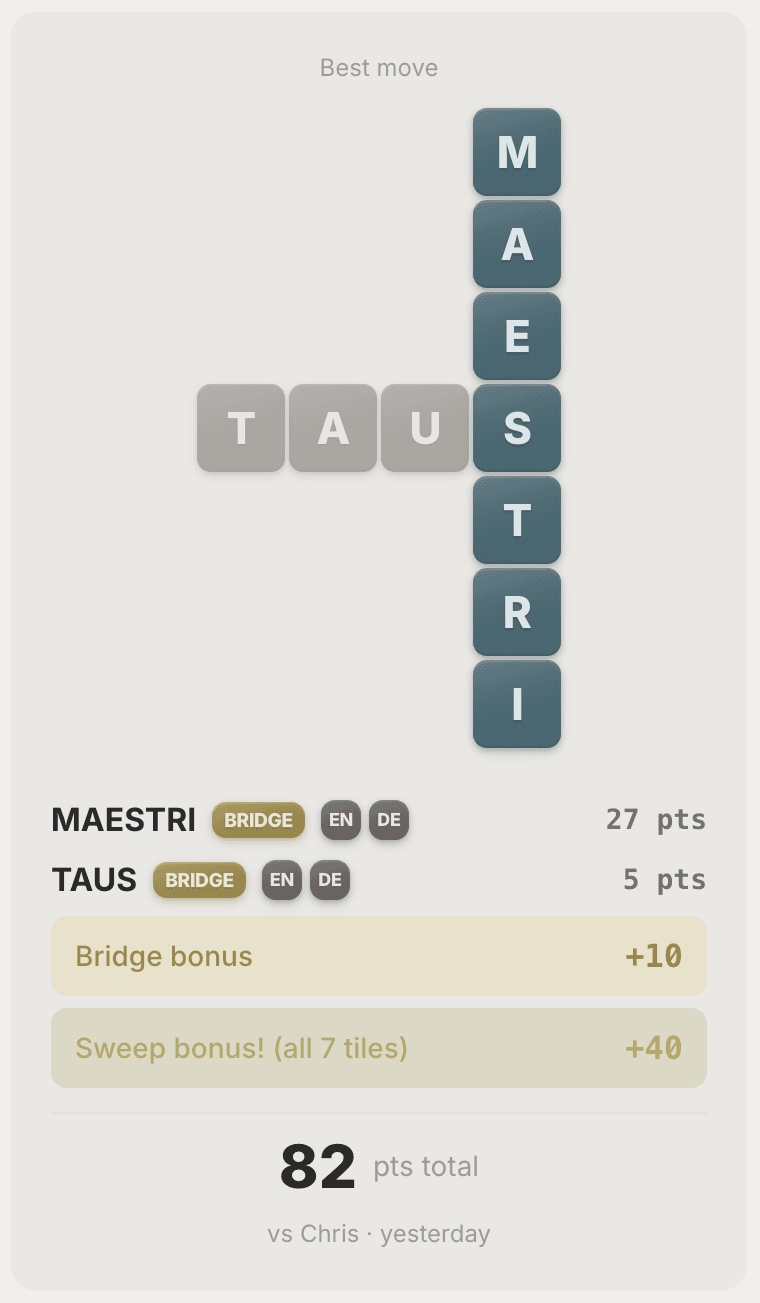
When a word is valid in more than one of the active languages, the game scores it separately in each matching language and gives you the highest result.
Bonus squares multiply letter or word scores, but only the first time a word is formed with a tile placed on them. Subsequent words using that tile will not benefit from the multiplier effect.
- DL / TL (double / triple letter) — multiplies just that tile.
- DW / TW (double / triple word) — multiplies the whole word of which that tile is a part.
- The center star counts as a double-word for the first move of the game.
If you place all 7 tiles from your rack in a single move, you get a 40-point sweep bonus on top of everything else. (Some word-game players know this move as a “Bingo”; we call it a sweep.)
C on a 2W square = (3 + 1 + 1) × 2 = 10 points.Bridge words and bridge bonus
A bridge word is a word that’s valid in more than one of the active languages — same letters, same spelling, valid in both dictionaries. Examples:
GIFT— present in English, poison in GermanRADIO— same word in English, Spanish, Italian, and Portuguese
On top of the usual scoring, every bridge word earns a bonus of 5 extra points per language it covers:
- 2 languages → +5
- 3 languages → +10
If a single move forms more than one bridge word, you get the bonus for each.
Language flip bonus
Sometimes extending a word on the board turns it into a word in a different language — one that isn’t valid in any of the original’s languages. That’s a language flip, and it earns a bonus. The new word doesn’t have to mean anything like the old one.
QUE(Spanish, “that”) →QUEEN(English) — a completely different wordAX(English) →AXT(German) — here they happen to share a meaning, but that’s not required
Each flipped word earns a flat 15-point bonus on top of the usual scoring. If one move flips more than one word, you get the bonus for each, and it stacks with bridge bonuses, sweeps, and Word of the Week.
Word of the Week
Some weeks feature a curated set of Words of the Week — a themed list of words that’s active for a limited window.
When you play one of the active words, you earn a flat bonus per matched word, on top of the usual scoring. The bonus stacks with bridge bonuses, sweeps, and special-tile multipliers. The exact bonus varies week to week and is shown here whenever this week’s words are live.
How a game ends
A game ends when either:
- One player’s rack is empty and the tile bag is empty, or
- Players pass too many times in a row. Two consecutive passes once the bag is empty, four while the bag still has tiles. You can see how many tiles are left by looking for the number to the right of the game languages above the board.
Whoever has the most points at this point wins. There are no end-of-game tile deductions — your score is whatever you accumulated turn by turn, even if you have unplayed tiles left on your rack.
Fast mode
Fast mode is a real-time variant where every turn has a 60-second timer. If you don’t submit in time, the turn auto-passes. Two consecutive time overruns from the same player ends the game as a forfeit.
Fast-mode games need both players online at the same time. After someone accepts the invite, you’ll both wait in a “ready” state; the game starts as soon as both players are connected and ready to play.

Inviting friends
The first time you want to play with someone, create a new game and copy the “share” link. Send it by text, email, iMessage, or however else you talk to them; whoever opens the link joins as your opponent.
After you’ve played with someone once, they show up at the top of the Create a game screen as a quick-pick, so you don’t need to send a new link every time.
Dictionaries and languages
TongueTied currently supports English, German, Spanish, French, Italian, and Portuguese. You pick which language(s) are active when you create a game.
Every word you play is checked against the dictionary for each active language. We chose the best word lists we had access to. If you think a word should be valid and isn’t (or vice versa), tell us at the Your thoughts link below — we maintain the lists ourselves and we read every report.
Chat
Every game includes a chat with your opponent. Use it to talk about words, share what you’ve learned, or just say hi.
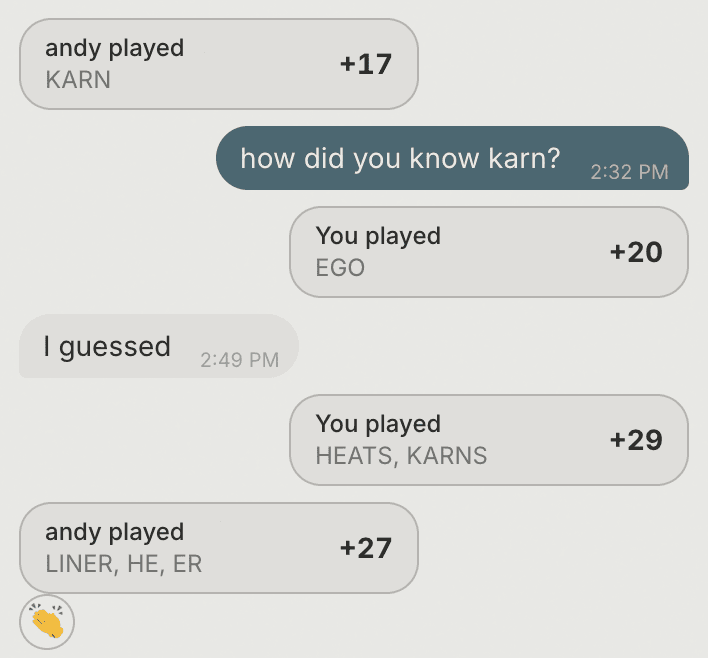
Every move is posted to the chat automatically. You can scroll back through the game and tap any move to see the words and tiles that were played.
You can use emojis to react to any message or move (long-press or hover), allowing you to make a quick, visual comment without typing.
Players are notified by email and/or push when there’s a new chat message or reaction in one of their games.
The @tt bot
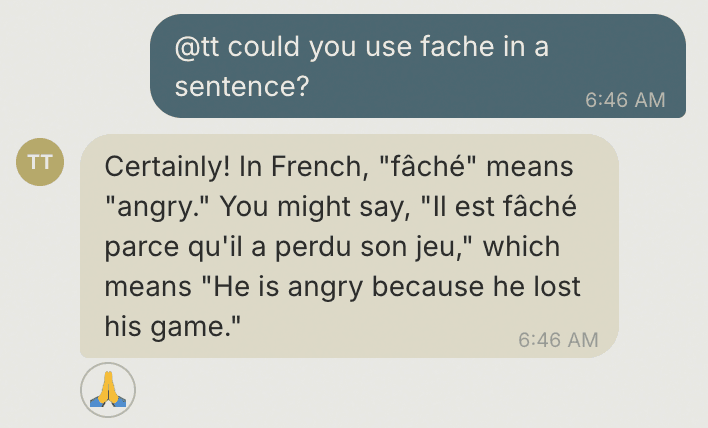
@tt is an in-game bot whom you can ask language questions. Mention @tt anywhere in your chat message and it will reply. For example:
- “@tt, can you use HAUS in a sentence?”
- “@tt, what does VERTRAUEN mean?”
- “@tt, why was that move worth so many points?”
@tt’s answers are visible to both players, and it won’t help with strategy or reveal what’s on anyone’s rack — but it’s great for translations, example sentences, and follow-up questions about words on the board.
Stats
Your stats page has three tabs:
- You — your overall numbers: win/loss record, average score, highest-scoring word, bridges-per-game rate, and a few others.
- Them — your stats and history broken out by each opponent you’ve played, so you can see how you match up against each of your rivals.
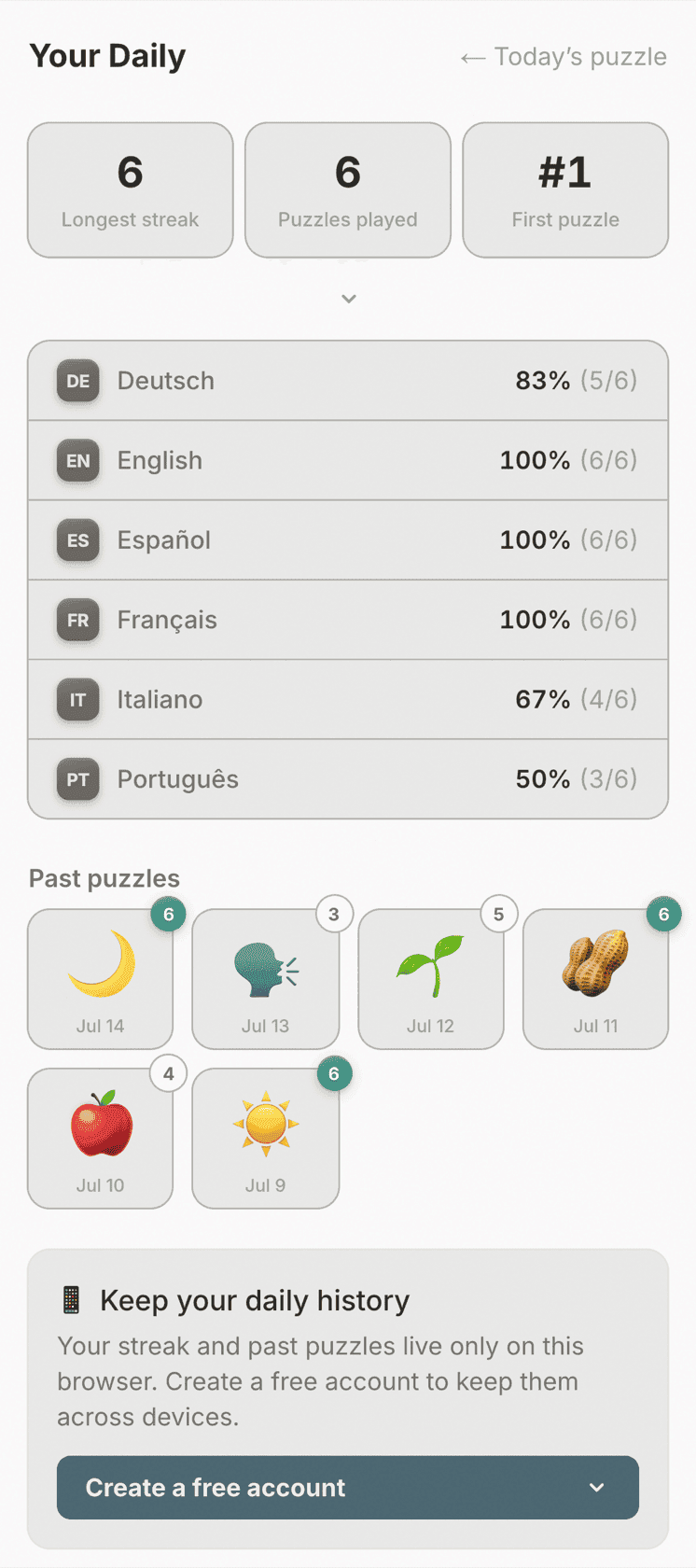
- Daily — your TongueTied Daily streak, personal bests, and past puzzles, which you can replay.
Stats are just for you: opponents don’t see yours, and you don’t see theirs.
Notifications
We send email notifications for “Your turn” alerts, chat messages, and other game events. If you’re using the iOS or Android app, you can also enable push notifications for the same events. Each category — turn, chat, reactions — can be toggled on or off independently per channel. Find these options under Settings in your account.
Cancelling a game
You can cancel a game from its menu in the lobby. If the game hasn’t started yet, it just disappears. If it’s in-progress, your opponent is notified and the game shows as cancelled in your finished list.
Cancelling is handy for keeping your lobby tidy — old invites that never got accepted, or games that started but went stale, don’t have to stick around.
Your account
You can sign in with Google, Apple, or email. Change your display name from Settings. To delete your account, go to Settings → Delete account. (See our Privacy Policy for what happens to game data.)
Your thoughts
We’re a small team and we read every email. Send bug reports, missing words, ideas, and complaints to hello@tonguetied.app. Thank you for playing!
No need to read these instructions before playing, but if you want a sense of what to expect, or don’t understand something about the game, this might help.
Order the languages to change the sequence in which you’ll tackle them. Put your strongest language first.
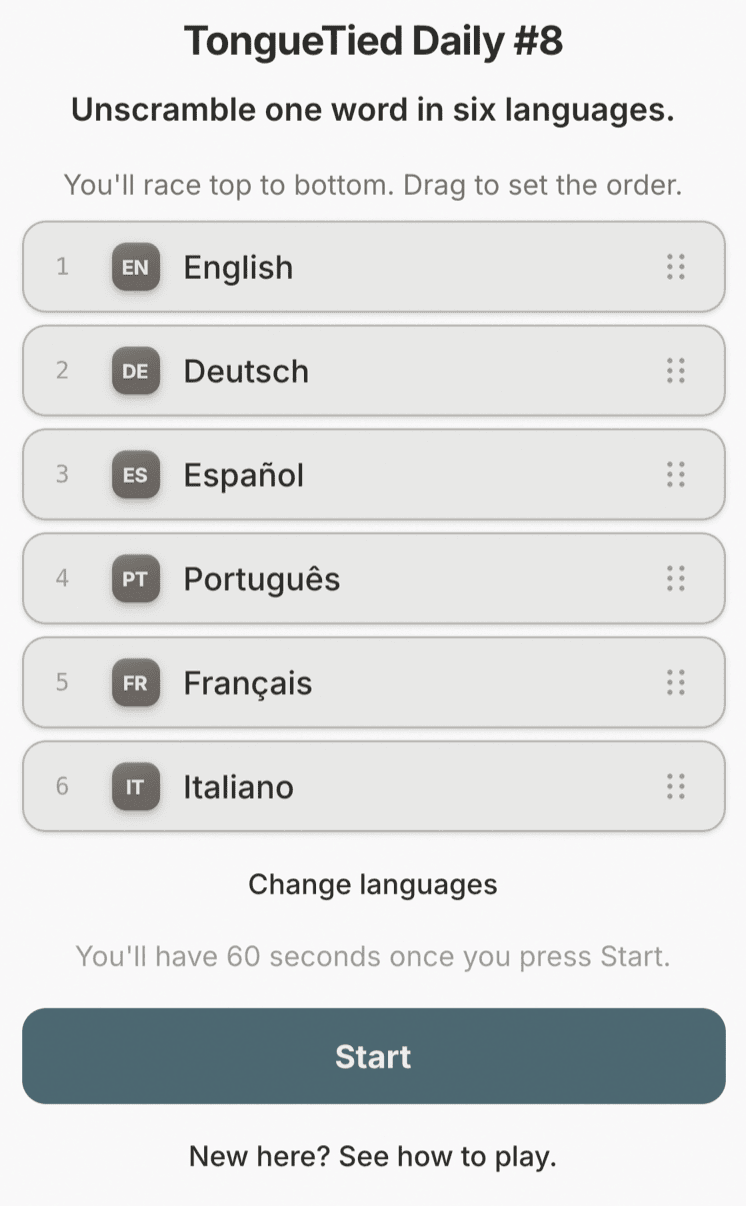
You can change out some or all of the six default languages for any of the 38 we offer.
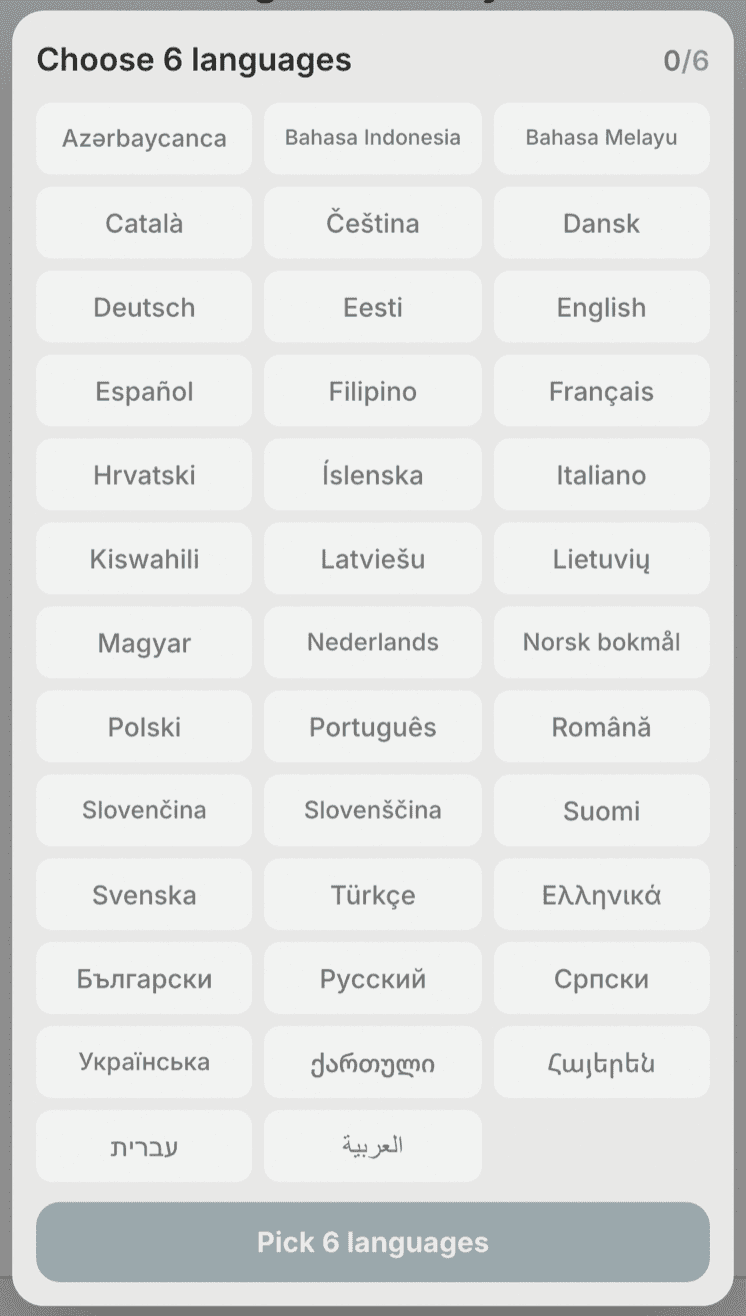
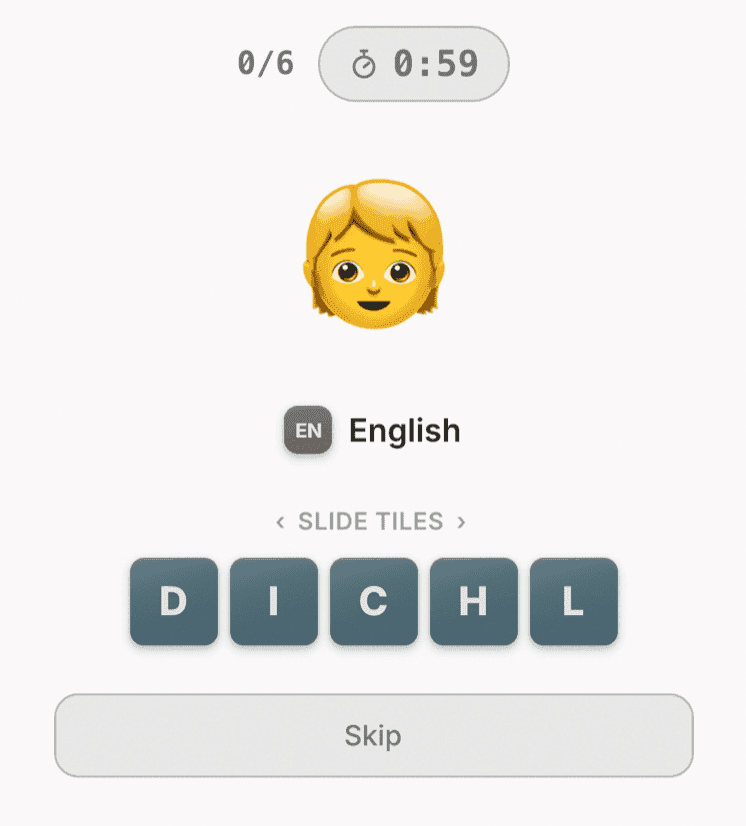
You’ll be shown an image representing an object, idea or action, and will have 60 seconds to unscramble the word for this concept in the six languages you chose, in the order you chose. Pressing “Skip” doesn’t mean you’ve given up on that language entirely: rather, it moves you on to the next languages in your sequence but returns you to this one if you’ve still got time at the end.
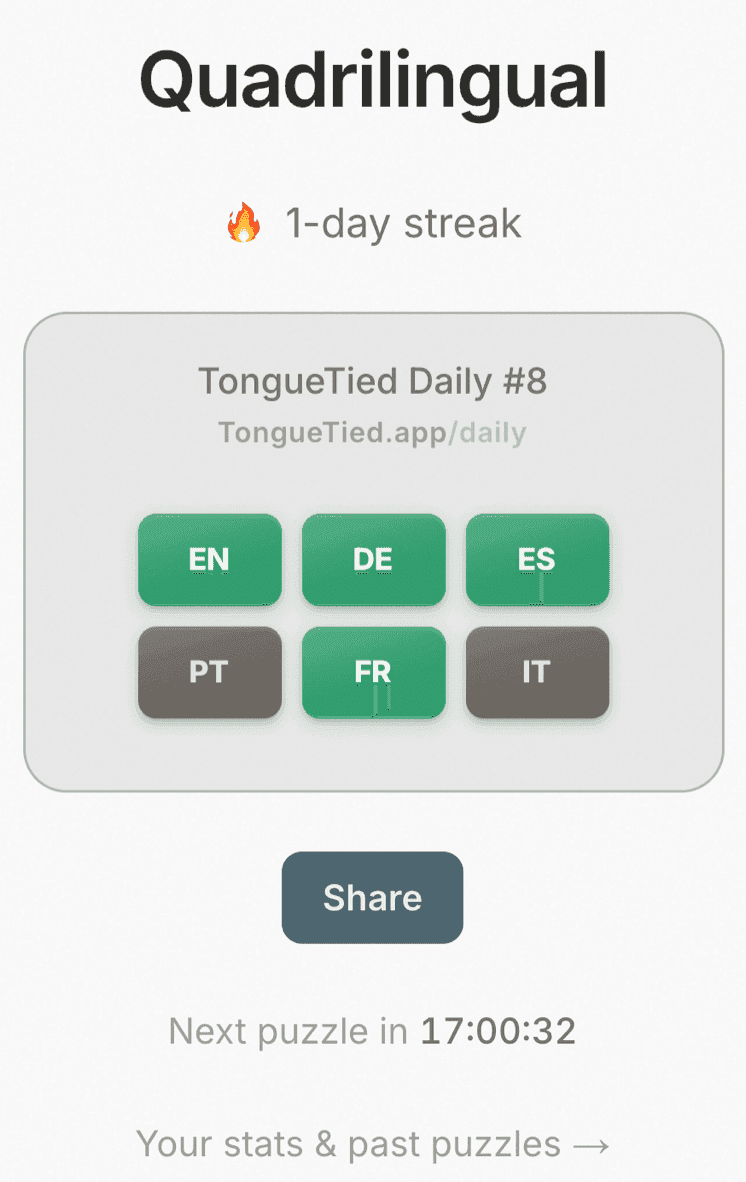
When your time is up, your scorecard will show the languages you successfully unscrambled in green, and those you didn’t in grey. If you’ve managed all six, you’ll also see the time it took. You may click on the language codes to see what the word was — whether or not you successfully unscrambled it. When you share your results, however, the words remain obscured to avoid spoilers.
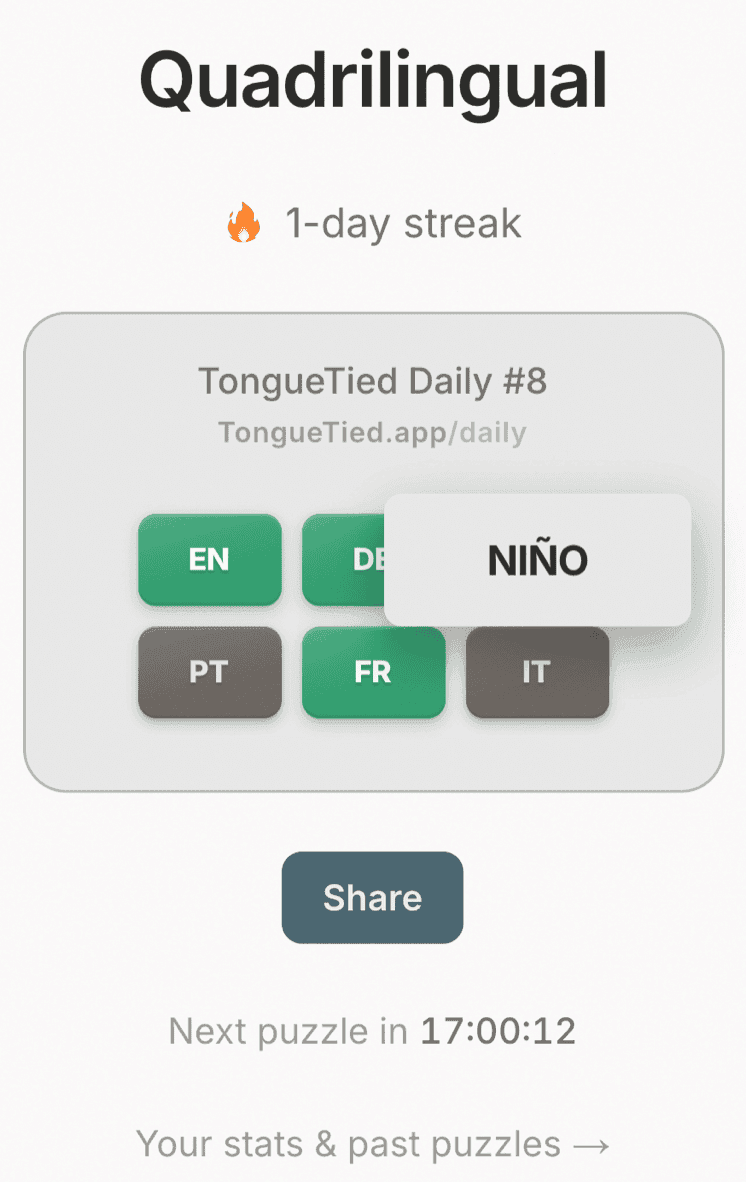
Go to stats & past puzzles to replay old puzzles.
If you want reminders and a safe record of your performance over time, create a free account. But anyone can always play or share, signed in or not.